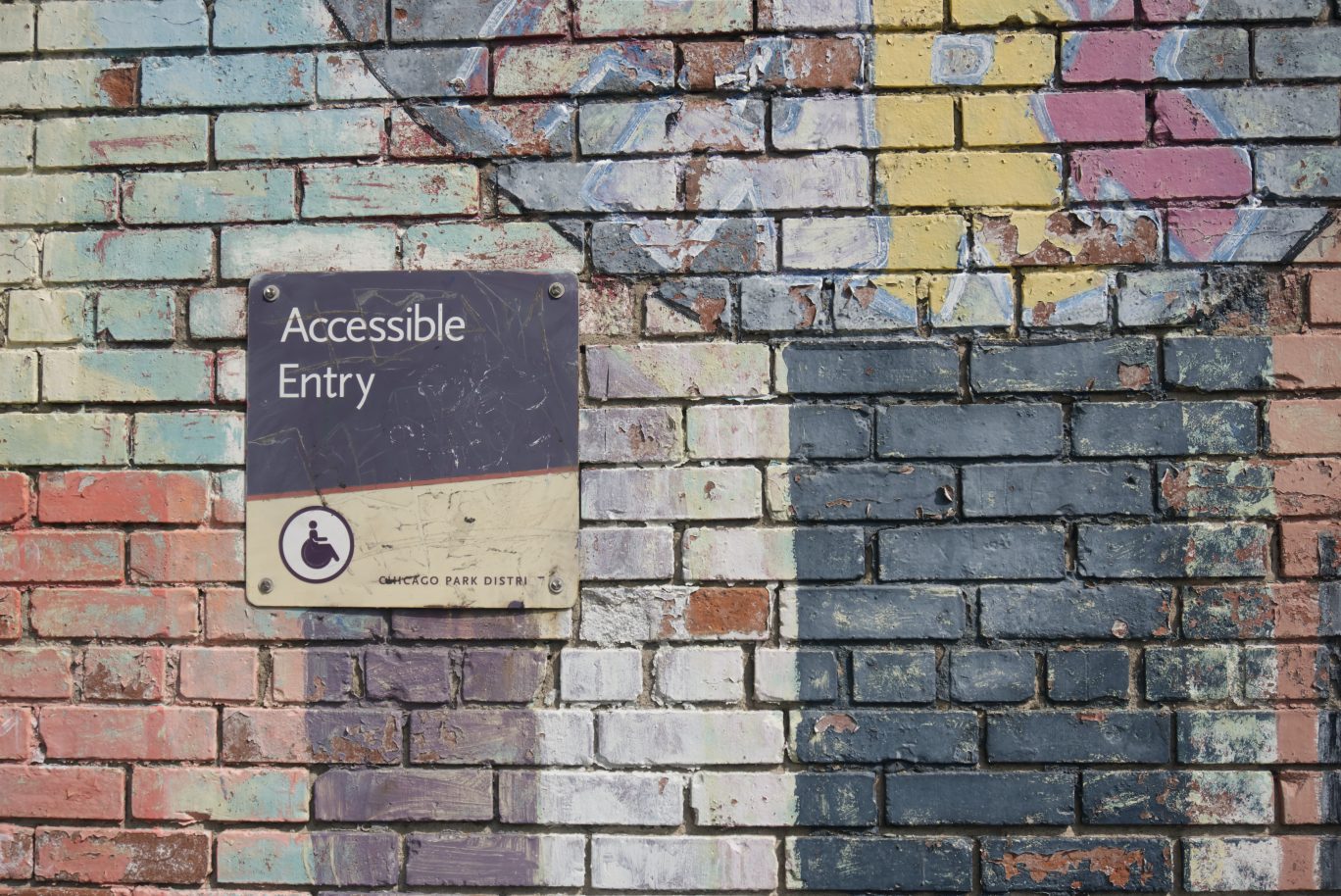
Accessibility means making a tool or piece of content usable by as many people as possible, regardless of their physical, visual, auditory or cognitive abilities, their language skills, literacy level or equipment. This represents a major challenge and an important issue, particularly in the field of official statistics.
In this article, we present four concrete examples of accessible survey questionnaires, along with practical recommendations for making accessibility a core element of survey design.
Contents:
- What is accessibility?
- INSEE: A face-to-face questionnaire with audio playback and audio capture
- Kantar: A CAWI survey designed for visually impaired respondents
- Providing sign language versions of survey questions
- Designing a questionnaire for young children
- How to integrate accessibility into your surveys
What is accessibility?
Accessibility, when applied to digital tools, refers to the ability to make them usable by everyone, regardless of language, devices, location, or physical and cognitive abilities.
Many countries rely on accessibility standards for digital services. At the international level, the most widely used reference is the WCAG (Web Content Accessibility Guidelines), which define a comprehensive set of criteria to ensure that websites and digital services are accessible to people with disabilities.
However, accessibility is also an inclusive approach that fits within broader corporate social responsibility (CSR) initiatives. This is equally true in the field of surveys and research.
A web questionnaire—whether self-administered (CAWI) or administered by an interviewer on a tablet—should therefore be accessible. This is particularly important in official statistics:
- when a survey specifically targets populations with disabilities or literacy difficulties;
- or when the objective is to obtain results that are as representative as possible by ensuring the survey can be completed by the widest possible audience.
At GIDE, we regularly work on accessibility challenges. Rather than focusing on the technical details of accessible questionnaire design, this article shares four practical examples and sources of inspiration to help survey researchers incorporate accessibility into their projects.
INSEE: A face-to-face questionnaire with audio playback and audio capture
INSEE (the French National Institute of Statistics and Economic Studies) is France’s national statistical office. It produces official statistics on the economy, population and society, and conducts large-scale surveys used by public authorities, researchers and policymakers. They needed to conduct a survey among people experiencing homelessness. The questionnaire was administered by interviewers using tablets during field visits, often in street outreach situations.
Several challenges had to be addressed:
- Respondents came from a wide range of nationalities and many did not speak or understand French;
- Some respondents were unable to read, either in French or in their native language;
- Using interpreters or multilingual interviewers was not feasible due to the large number of languages involved.
We therefore implemented several solutions:
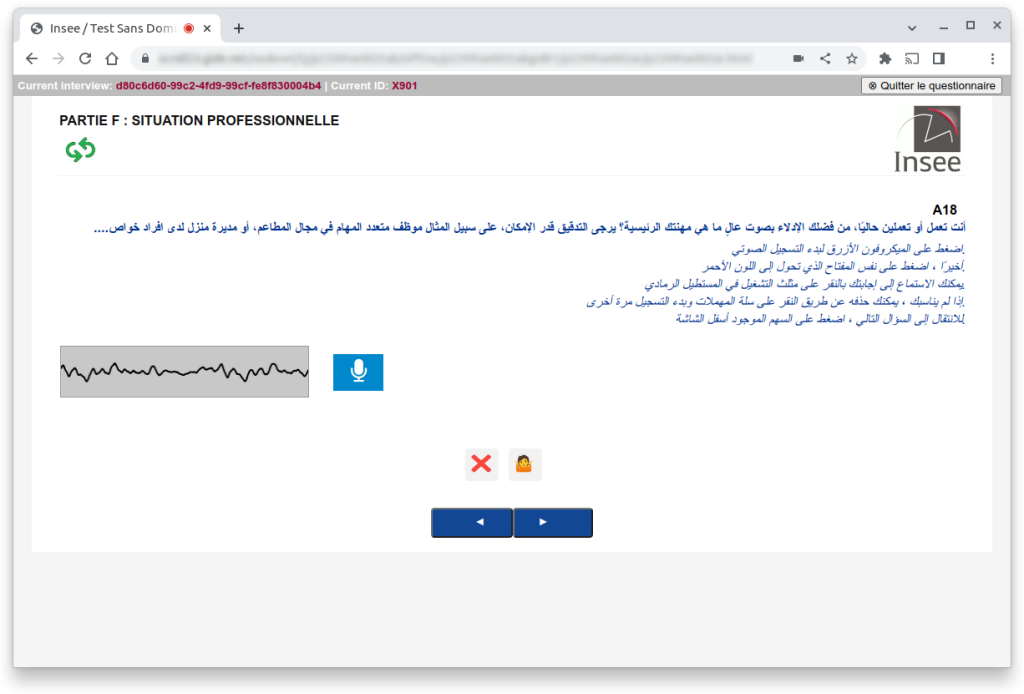
- The questionnaire was translated into numerous languages, including right-to-left languages such as Arabic, Dari and Pashto;
- An audio version of each question was recorded in every language for respondents who could not read;
- An audio capture system was also implemented so respondents could answer open-ended questions verbally.
Kantar: A CAWI survey for visually impaired respondents
We worked with Kantar, one of the world’s leading market research companies, on a study examining the accessibility of everyday services for visually impaired people.
Because the survey was self-administered online, it had to be compatible with the assistive technologies commonly used by visually impaired respondents.
These include:
- screen readers
- specialized browsers
- screen magnification software
However, these tools only function properly when websites follow accessibility standards.
For this project, the questionnaire was designed in strict compliance with accessibility guidelines derived from WCAG.
To validate the effectiveness of our implementation, the questionnaire was tested by the Certam, a research and evaluation center specializing in technologies for blind and visually impaired users.
Providing sign language versions of survey questions
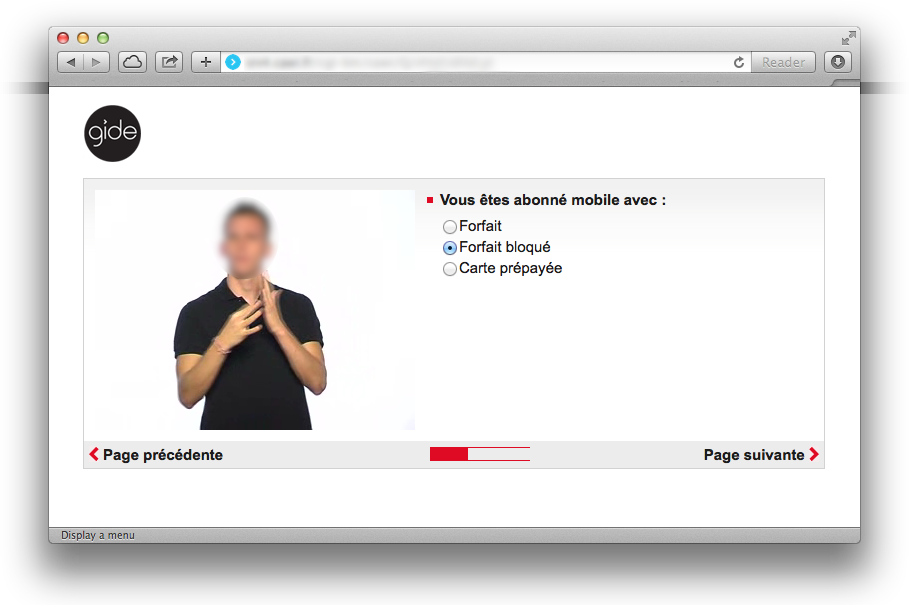
In several projects, we implemented survey questionnaires that included a video version of each question in sign language.
At first glance this may seem unnecessary, since hearing impairments do not prevent reading. However, many deaf individuals experience difficulties learning written language, and these challenges can persist into adulthood.
As a result, written questions alone may not always ensure full comprehension.
Providing a sign language version of the questions significantly improves accessibility for deaf respondents.
Designing a questionnaire for young children
Accessibility is not limited to addressing disabilities. The objective is to make surveys usable by the widest possible audience, including children.
In one public research project, we designed a self-administered questionnaire for primary school children.
Each child received a tablet configured so that the only possible action was completing the questionnaire. This was made possible using our Electronic Questionnaire Device (EQD) technology.
Although the children could read, their reading skills were still developing. It was also important to keep them engaged until the end of the survey.
The solution was to design a gamified questionnaire illustrated with visual scenarios.
Each written question was:
- illustrated with images
- accompanied by audio playback through headphones
- paired with very simple response options (Yes / No or simple scales)
How to integrate accessibility into your surveys
If you design surveys and questionnaires, accessibility should be considered from the start rather than treated purely as a technical issue.
In general, an accessible questionnaire should be as clear, logical and easy to understand as possible.
Use simple wording and short texts to make the survey accessible to respondents with reading or comprehension difficulties.
Visual design should never prevent the question from being understood, especially for screen readers or audio playback. For this reason, grid-style questions should generally be avoided in favor of presenting one question at a time.
It is also best to avoid complex mouse interactions such as drag-and-drop ranking tasks, which can be difficult or impossible for respondents with visual, motor or digital literacy challenges.
Need to design an accessible survey? Contact us to discuss your project.