Designing an online questionnaire is not just about writing questions. It also means creating an experience that is smooth, inclusive and easy to use for everyone.
In a world where most surveys, studies and forms are now completed online, web accessibility has become essential to ensuring that everyone can participate.
This article explains the main principles of digital accessibility and outlines practical ways to design questionnaires that are genuinely inclusive. It includes guidance for developers and web integrators, but it is written to be understandable for non-technical readers as well. The final section also includes recommendations specifically for survey researchers and questionnaire designers, with advice that can be applied from the earliest stages of survey design.
Understanding Web Accessibility
Web accessibility is not only about disability. It is about making digital content and services usable by as many people as possible, regardless of their technical environment, physical, sensory or cognitive abilities.
As Tim Berners-Lee, one of the inventors of the Web, famously said:
The power of the Web is in its universality. Access by everyone regardless of disability is an essential aspect.
A website or online questionnaire can therefore be more or less accessible depending on how it has been designed. Just as accessibility must be considered from the beginning when planning a public space, it should be built into digital products from the start rather than added at the end.
For concrete examples of accessible survey design in practice, see also our article: Disability and Literacy Barriers: 4 Examples of Accessible and Inclusive Surveys.
Why Accessibility Matters for Surveys
Digital accessibility is first and foremost an inclusion issue.
Millions of people worldwide live with visual, auditory, motor or cognitive impairments. Many others face barriers related to literacy, language, internet access, aging devices or temporary limitations. Accessibility is therefore not a niche concern.
Designing an inclusive questionnaire is essential if you want reliable, representative results, whatever the type of study.
Inclusion means enabling people to participate under fair conditions, without unnecessary barriers, while also improving the quality of the data collected.
It is also a matter of readability and efficiency. A well-designed questionnaire is easier to understand, easier to complete and more likely to generate higher response rates. It also reflects positively on the organization behind it.
Key Accessibility Standards to Know (WCAG and Beyond)
Accessibility recommendations are now based on widely recognized standards that define the core principles of digital accessibility.
To be accessible, a web page should be:
- Perceivable: information must be presented in ways users can perceive;
- Operable: the interface must be navigable and usable;
- Understandable: both the content and the interaction model must be clear;
- Robust: the content must work with assistive technologies.
The main international reference is the WCAG (Web Content Accessibility Guidelines), published by the W3C.
Depending on the country or sector, there may also be national or institutional frameworks derived from WCAG. For example, public-sector design systems in several countries provide practical UI components and accessibility patterns for forms and digital services.
Even without technical expertise, these principles can help guide the design of inclusive questionnaires.
At GIDE, we already integrate accessibility-oriented design principles into Scroll, our in-house survey production framework, and we can deploy questionnaires aligned with modern accessibility standards, particularly for official statistics and public-sector surveys.
Best Practices for Designing Inclusive Surveys
Like any website, an online questionnaire should be designed so that it can be used by as many people as possible, including people with disabilities and people who are not fully fluent in the language of the questionnaire.
Inclusion depends both on technical rules, such as keyboard navigation, screen reader compatibility and contrast, and on design decisions, such as clear wording, simple user flows and appropriate content formats.
Accessibility should not be seen as a technical constraint added at the end of the process. It should be treated as a core design principle from the start. Doing so helps ensure that respondents can complete the survey without unnecessary obstacles and improves the quality of the data collected.
Accessibility is also a shared responsibility across the project: designers, developers, survey researchers, clients and stakeholders all play a role.
Below are several common situations and the main good practices associated with them. This list is not exhaustive, not least because accessibility needs vary widely.
1. Designing for Visual Accessibility
People with visual impairments may experience low vision, partial or total blindness, or color blindness. For example, color coding may be unreadable for some users, while low contrast or non-resizable text can make navigation difficult.
Good practices:
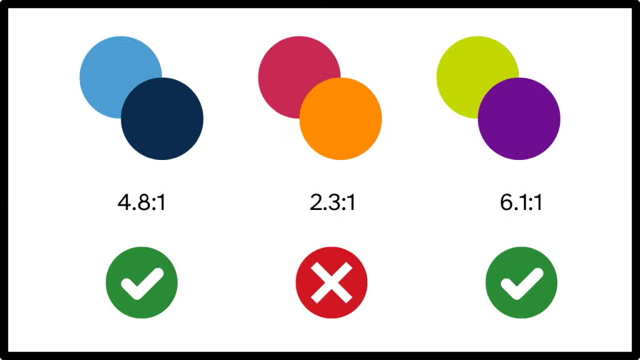
- Colors and contrast: do not rely on color alone to convey meaning. Use sufficient contrast and add text labels where needed;
- Keyboard navigation: ensure that all functions can be accessed without a mouse;
- Images: provide alternative text for any image that conveys information;
- Screen readers: make sure labels, headings and question structures are compatible with screen readers;
- Avoid unnecessary complexity in wording: keep labels concise and avoid repetitive or overly long text that would be cumbersome when read aloud by assistive technologies.
2. Making Content Accessible for Deaf and Hard-of-Hearing Users
People who are deaf or hard of hearing may miss key information conveyed through audio or video instructions.
Good practices:
- provide synchronized captions or transcripts for audio and video content;
- use clear, direct language to support respondents who may have limited access to spoken-language cues;
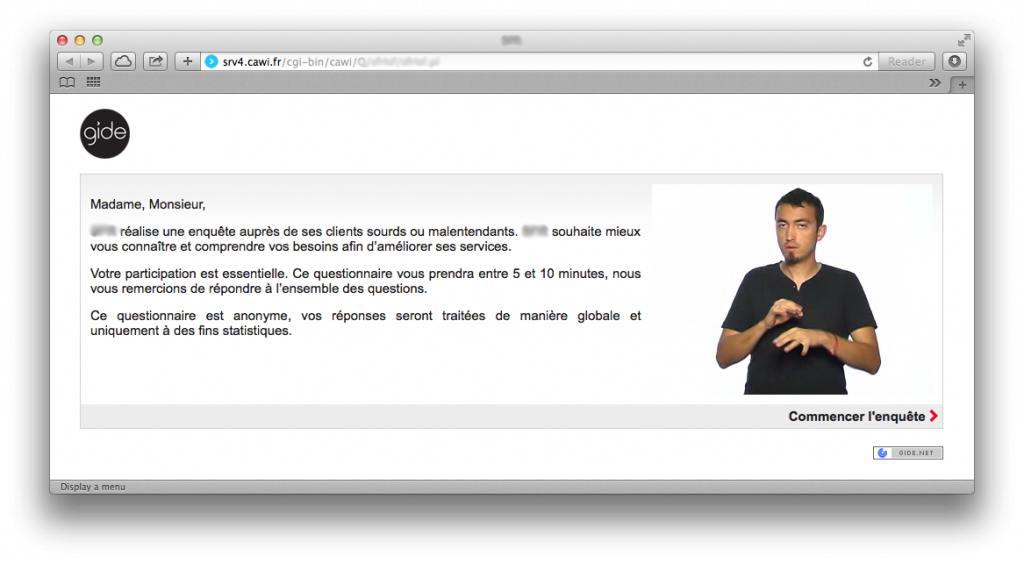
- where relevant, provide a sign language version of video content.
3. Designing for Motor Accessibility
Motor impairments may affect precision and ease of movement. Using a mouse or trackpad can become difficult, and interfaces that rely on small clickable areas or drag-and-drop interactions may be unusable.
Good practices:
- provide full keyboard navigation whenever possible;
- avoid small targets and use large, well-spaced buttons and input fields;
- reduce interactions requiring fine motor control, such as drag-and-drop, long press or double-click.
4. Supporting Cognitive Accessibility
Cognitive impairments can affect memory, concentration or comprehension. Dense text, complex layouts or unclear instructions can quickly discourage respondents.
Good practices:
- write in clear, concrete and direct language;
- avoid jargon and unnecessary technical vocabulary;
- limit the number of questions and avoid ambiguous wording;
- remove distracting visuals or flashing effects;
- explore plain language principles and easy-to-read content guidelines.
5. Designing for Mobile Accessibility
More and more people complete questionnaires on smartphones, sometimes using assistive technologies such as VoiceOver or TalkBack.
Good practices:
- test compatibility with mobile screen readers;
- ensure that buttons and form fields are large enough to tap easily;
- avoid hover-based interactions, which do not work on touch devices;
- if the survey includes images, use portrait-friendly formats when possible so they display more comfortably on mobile screens;
- ensure the layout is responsive and remains legible without excessive zooming.
6. Ensuring Accessibility on Slow or Unstable Connections
Inclusion is not only about disability. It also applies to degraded usage conditions: slow internet, unstable mobile networks, older devices or public Wi-Fi.
In these contexts, a heavy questionnaire can quickly become unusable.
A well-designed questionnaire should therefore be lightweight, quick to load and compatible with a wide range of environments, minimizing unnecessary scripts and non-essential content.
How AI Can Improve Accessibility
Artificial intelligence can help make questionnaires more inclusive. It can, for example:
- generate transcripts for audio and video content;
- generate alternative text for images;
- suggest plain-language rewrites of complex questions;
- detect insufficient contrast or low-readability interface elements during testing.
These tools do not replace responsible human design, but they can significantly speed up accessibility reviews and quality checks.
The rise of conversational AI also raises an interesting question: could chatbots replace traditional web questionnaires from an accessibility perspective?
AI-powered conversational interfaces can sometimes feel more natural than long, rigid forms. In addition, improvements in speech-to-text and text-to-speech make spoken interaction more realistic, which may create new opportunities for some users, especially those with visual impairments.
That said, many chatbots still fall short of accessibility standards today. They should not be assumed to be inherently more accessible than forms. This article offers some ideas on how to make conversational AI more accessible: Catching up on accessibility with AI chat.
How to Test the Accessibility of Your Questionnaire
The accessibility of a questionnaire can be checked through a combination of automated audits and user testing.
Useful tools include:
These tools help assess contrast, HTML structure, keyboard navigation and assistive technology compatibility.
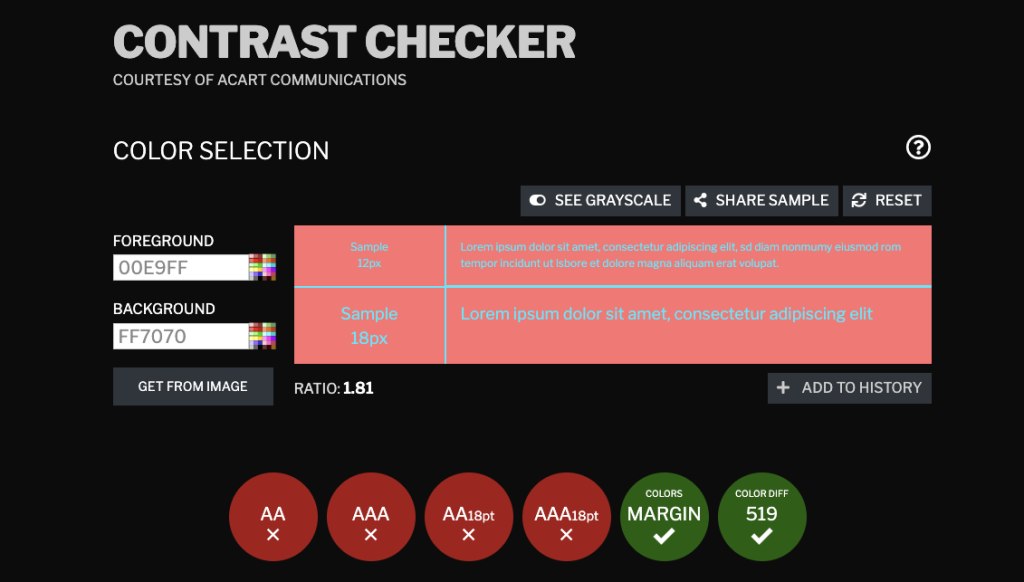
Contrast Checker can also be used to verify color combinations and preview how designs may appear to users with color vision deficiencies.
However, manual testing remains essential. For example:
- complete the questionnaire using only the keyboard;
- test it with a screen reader;
- check it on mobile devices;
- observe real users when possible.
Readability tools like Readable can also help identify overly complex wording and improve clarity for a broader audience.
The Role of Survey Researchers and Designers in Accessibility
Accessibility is not only a development issue. A large part of it is determined at the questionnaire design stage, which means survey researchers and questionnaire writers have a central role to play.
Many editorial, ergonomic and methodological adjustments can significantly improve both the respondent experience and the quality of the data collected.
1. Start with Clear and Accessible Design
Before even discussing wording, make sure the questionnaire design meets basic readability criteria.
Contrast and colors
Low-contrast text or overly bright color combinations can make content hard to read for many respondents.
Use contrast-checking tools to validate your choices.
Size and spacing
Input areas and buttons should be large enough to be clicked or tapped comfortably, especially on mobile or for respondents with motor difficulties.
Avoid distractions
Remove flashing elements, animations or unnecessary visual clutter.
2. Make Media Content Accessible
Images, videos and audio can enrich a questionnaire, but they must remain accessible.
- Always add alternative text to describe an informative image or chart (You can find tips on writing your alt text in this article);
- provide captions or transcripts for all audio and video content;
- where relevant, offer sign language versions of video content;
- optimize file sizes so the survey remains usable on slow connections: use the WebP format for images and compress them using tools such as TinyPNG or Squoosh, to reduce loading times for slow connections;;
- make sure media formats work well on mobile, and prefer portrait orientation when it improves usability.
3. Write Clear, Simple and Inclusive Questions
How questions are written matters just as much as what they ask.
Simplify wording
Avoid long or technical sentences. Prioritize clarity and everyday language, especially for respondents with cognitive difficulties or limited proficiency in the survey language.
Avoid unnecessarily complex phrasing
Instead of trying to compress multiple situations into one sentence, split the logic into simpler steps.
For example, rather than asking a question that combines multiple cases or conditions in a single sentence, it is often better to ask a first question to determine the relevant situation and then adapt the following questions accordingly.
This makes the questionnaire easier to understand, easier to translate and easier to interpret with assistive technologies.
Do not overload the questionnaire
Avoid overly long question labels, especially in repeated batteries or matrix-style sections.
If several items belong to the same topic, separate the introductory statement from the repeated question stem clearly. This helps both readability and screen reader usability.
Long questions and long response options also create usability problems on mobile.
In general, limit the number of questions displayed on the same screen. If several questions must appear together, keep the interface as simple as possible.
4. Reduce Friction and Input Errors
An inclusive questionnaire should help respondents answer easily, without confusion or frustration.
Some practical recommendations:
- clearly indicate required fields at the beginning of a section or questionnaire;
- place error messages close to the relevant field;
- make error messages explicit, readable and compatible with screen readers;
- avoid extremely long dropdown lists when possible;
- support full keyboard navigation;
- make it easy to resume the questionnaire after an interruption;
- avoid interactions requiring high precision, such as drag-and-drop, double-click or long press;
- provide clear guidance whenever a field requires a specific format, such as a date or email address.
Key Takeaways
Survey researchers and questionnaire designers play a central role in accessibility. Much of accessibility depends on clear content, good structure and simple user flows.
When these elements are handled well upstream, it becomes much easier for developers and programmers to implement a questionnaire that is genuinely accessible.
Do not hesitate to involve your technical partner early in the project to improve these aspects.
Conclusion: Accessibility Benefits Everyone
Designing inclusive questionnaires is more than a technical requirement. It is a matter of inclusion and data quality.
A readable, well-structured questionnaire:
- increases participation;
- improves comprehension and therefore response quality;
- strengthens the credibility of the organization behind it.
Digital accessibility does not only benefit people with disabilities. It improves the experience for everyone.
To borrow a principle long associated with the W3C community:
An accessible web is a better web for everyone.
Do you want to audit or improve the inclusiveness of your surveys?
Contact the GIDE team. We can support you in the design or redesign of your questionnaires.